
Technology · 28 Sep 2026
Which web design platform is right for you? Here is a comparison of the most popular web design platforms, based on your specific goals and needs as a website owner or web designer.
If you are new to web design, the sheer number of popular web design tools and software can feel a little overwhelming. The alternative is a custom-built website.
Either way, it is important to know the main pros and cons of the most popular web design platforms, so you don't make the wrong choice and end up paying development costs twice when you have to start over.
It is important to know what you want from a web design platform and how much you are willing to pay for it.
Web design platforms can be subscription-based or subscription-free. Different platforms also offer different features, aimed at specific segments of the market.

For example:
Platforms such as Magento and Shopify are built for e-commerce websites.
Joomla and Drupal are highly adaptable and may be preferred by advanced developers who know HTML and PHP.
Subscription-free platforms
Subscription-free platforms let you run your website on your own server, because you are not actually renting the platform.
Keep in mind that just because these platforms are not subscription-based doesn't mean you won't have to pay any fees. You may need to budget for extras such as plugins, themes and additional features.
WordPress
Over the past decade, WordPress has become the best-known subscription-free platform in the world.
WordPress was originally designed for blogs, and it still provides excellent support for blog websites, but it has grown into a highly flexible, free, open-source platform.
Although the WordPress software is free, you may need to spend money on a domain name, hosting and features such as plugins and premium themes. Many of these plugins and add-ons are well worth the investment.
For example, if you are working on the SEO of your website, you can install a plugin such as Yoast SEO or All in One SEO to help optimize your WordPress site for search engines.
If there is a feature you would like your website to have, there is probably a plugin for it. WordPress is also a CMS (content management system). A CMS lets you, or your clients, manage the website and make simple changes or additions, such as publishing a new blog post.
Drupal and Joomla
Drupal and Joomla belong to the same family of flexible, subscription-free CMS platforms as WordPress, but they are less popular and don't offer as many plugins and templates.
Still, some experienced developers prefer them. If you are just getting started with web development, do some extra research to see whether they would suit your needs better.

SaaS platforms
Subscription-based SaaS web design platforms usually charge a monthly fee and may add extra charges depending on the provider, although some of them also offer free plans.
These platforms usually include e-commerce features, along with more technical and security support. Well-known subscription-based platforms include Wix, Weebly (now part of Square) and Shopify.
E-commerce platforms
If you run a business that sells products, you will want a website built to support your business and your customers.
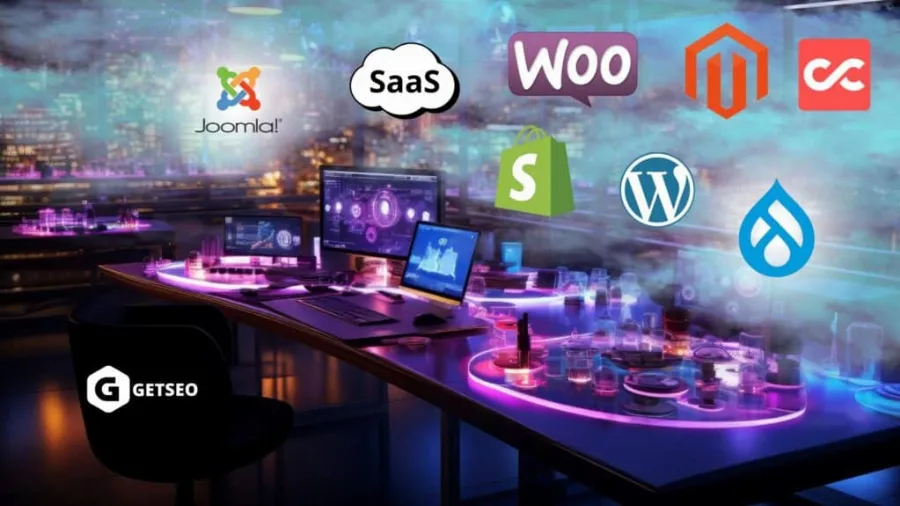
All of the platforms discussed so far can be turned into online stores, but they may not be the best options for the job. The most popular e-commerce platforms are WordPress with the WooCommerce plugin, Magento and Shopify.
WordPress with WooCommerce
If your website is already built on WordPress, you can easily install a plugin called WooCommerce, which lets you add products and accept credit card payments.
It is a simple and convenient option, but for larger businesses and stores with thousands of products, platforms such as Magento or Shopify may be a better fit.
Magento
Magento (now Adobe Commerce) is the e-commerce platform trusted by many major brands, such as Coca-Cola, Ford and Nike.
Its many feature-rich extensions offer a wide range of options for pricing, discounts and data collection.
However, Magento can become quite expensive for large websites. Running a small store on the open-source edition can cost anywhere from $10 to $250 per month, while the enterprise edition can cost $25,000 to $125,000 per year, which makes it better suited to large companies with bigger budgets.
Shopify
Shopify is another popular e-commerce platform. It is more accessible and beginner-friendly, with plenty of online tutorials to help you build your store.
Keep in mind that Shopify charges both a monthly fee and transaction fees. This is manageable, because Shopify comes with its own built-in payment method. If you choose a different payment provider instead, you may be charged an extra 0.5% to 2% per transaction.
CloudCart
CloudCart is a Bulgarian e-commerce platform that lets you build an online store with a clean, attractive design. Its simple structure and ease of use make it a popular choice among retailers in Bulgaria. The entry-level plan costs about $23 per month, and paid features beyond the free ones can bring the total to around $400–$460 per month.
How to choose
There are many factors to consider before choosing the right web design platform, but in the end, figuring out what your website needs in order to succeed is a learning process.
If you are still working out what your website needs, WordPress is a great choice thanks to its flexibility and huge range of add-ons.
If you know exactly what you need, or you are unsure which platform would suit you best, send us an inquiry and we will prepare a custom quote for you.